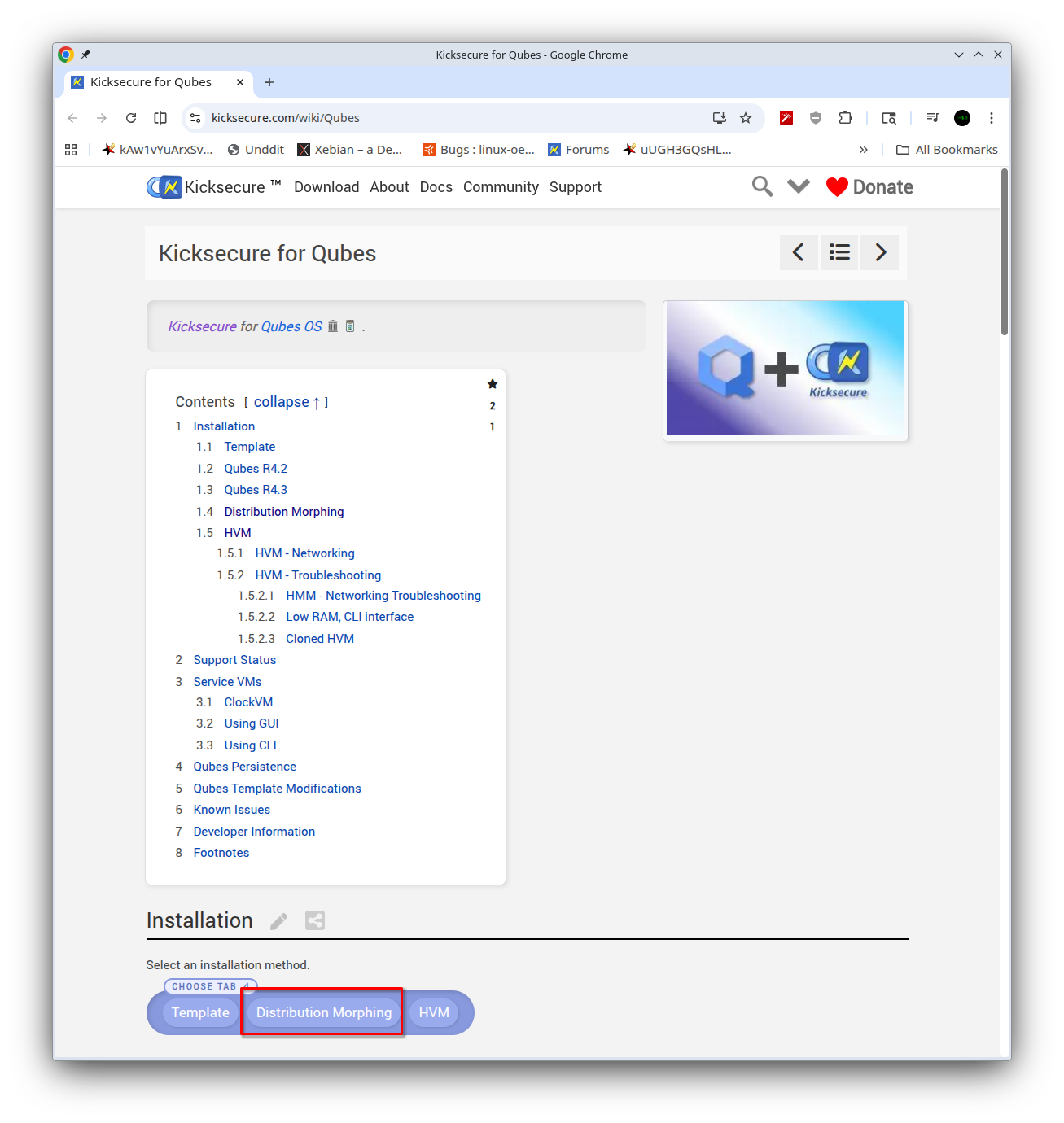
Sorry, could you explain to me where the steps for morphing the debian-13-xfce template begin? I’m a bit confused; this is my first time doing a morphing.
sudo/root will be available only in the template if I install sysmaint into the debian‑13‑xfce template after morphing? sysmaint - System Maintenance User
It’s probably best to read the entire procedure through from the beginning to the end before attempting to do the steps. The proper place at which to install the metapackage is documented in the distribution morphing instructions.
(I do see some package names listed in one of the pages are outdated, I’ll fix that real quick.)
Error! Some packages could not be installed. This may mean that you have requested an impossible situation or if you are using the unstable distribution that some required packages have not yet been created or been moved out of Incoming. The following information may help to resolve the situation:
Unsatisfied dependencies: kicksecure-qubes-cli : Depends: firmware-nonfreedom-network but it is not installable Error: Unable to correct problems, you have held broken packages.
Error: The following information from --solver 3.0 may provide additional context: Unable to satisfy dependencies.
Reached two conflicting decisions:
1. kicksecure-qubes-cli:amd64 is selected for install because: 1. kicksecure-qubes-server:amd64=3:35.6-1 is selected for install
2. kicksecure-qubes-server:amd64 Depends kicksecure-qubes-cli 2. kicksecure-qubes-cli:amd64 Depends firmware-nonfreedom-network but none of the choices are installable: [no choices]
Did you enable the non-free repo when you got to the Add the Kicksecure Repository step, as is documented there? That repository must be enabled. firmware-nonfreedom-network is in Kicksecure’s non-free repo because the firmware packages it depends on from Debian’s non-free-firmware repo are not free-and-open-source (though they are free of charge).
@arraybolt3 Yes (I forgot to paste this command on the forum).
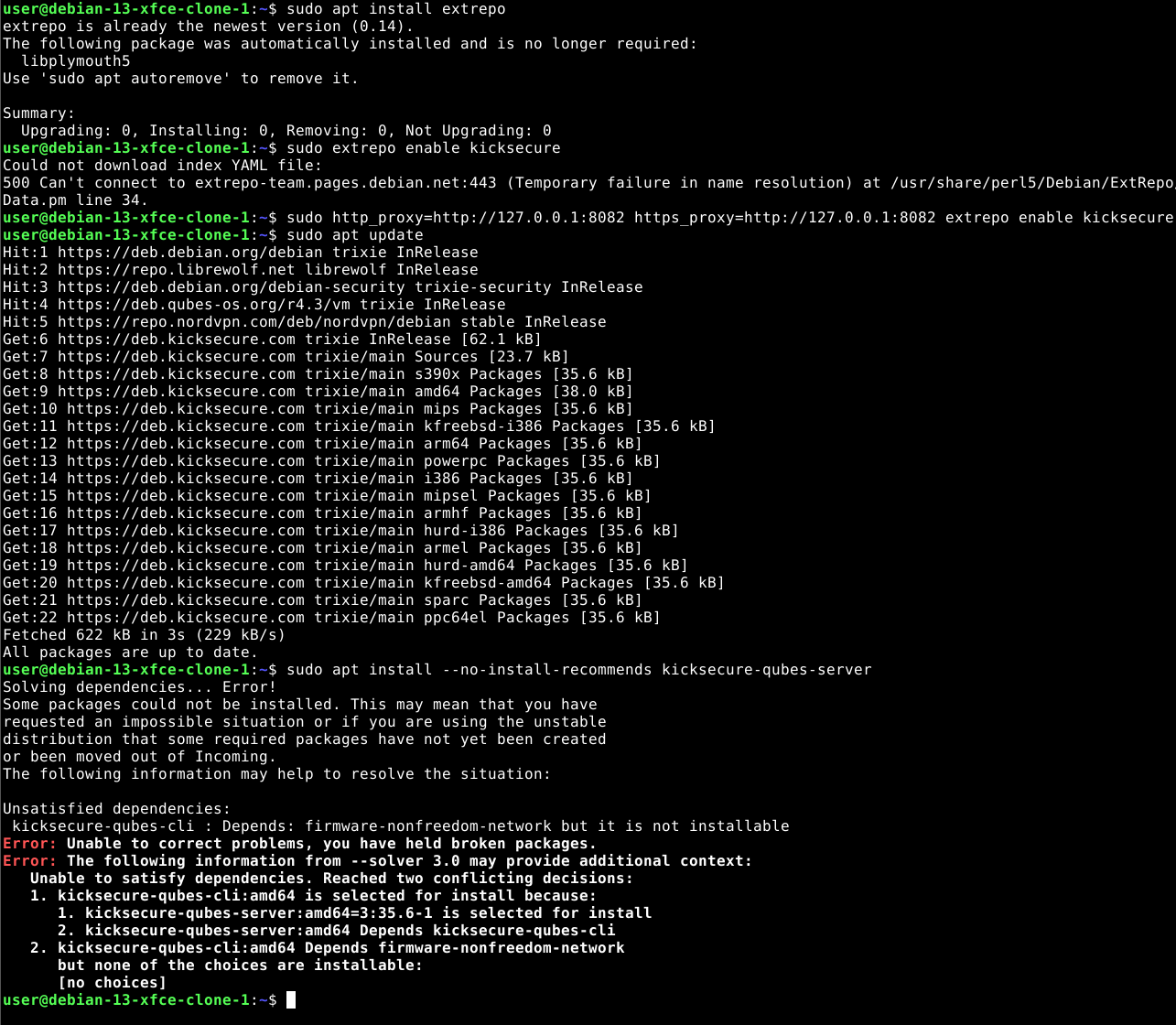
I tried install cli-version again, and the same error keeps appearing. Here’s the screenshot
user@debian-13-xfce-clone-1:~$ sudo apt install extrepo
extrepo is already the newest version (0.14).
The following package was automatically installed and is no longer required:
  libplymouth5
Use 'sudo apt autoremove' to remove it.

Summary:
  Upgrading: 0, Installing: 0, Removing: 0, Not Upgrading: 0
user@debian-13-xfce-clone-1:~$ sudo extrepo enable kicksecure
Could not download index YAML file:
500 Can't connect to extrepo-team.pages.debian.net:443 (Temporary failure in name resolution) at /usr/share/perl5/Debian/ExtRepo/Data.pm line 34.
user@debian-13-xfce-clone-1:~$ sudo http_proxy=http://127.0.0.1:8082 https_proxy=http://127.0.0.1:8082 extrepo enable kicksecure
user@debian-13-xfce-clone-1:~$ sudo apt update
Hit:1 https://deb.debian.org/debian trixie InRelease
Hit:2 https://repo.librewolf.net librewolf InRelease
Hit:3 https://deb.debian.org/debian-security trixie-security InRelease
Hit:4 https://deb.qubes-os.org/r4.3/vm trixie InRelease
Hit:5 https://repo.nordvpn.com/deb/nordvpn/debian stable InRelease
Get:6 https://deb.kicksecure.com trixie InRelease [62.1 kB]
Get:7 https://deb.kicksecure.com trixie/main Sources [23.7 kB]
Get:8 https://deb.kicksecure.com trixie/main s390x Packages [35.6 kB]
Get:9 https://deb.kicksecure.com trixie/main amd64 Packages [38.0 kB]
Get:10 https://deb.kicksecure.com trixie/main mips Packages [35.6 kB]
Get:11 https://deb.kicksecure.com trixie/main kfreebsd-i386 Packages [35.6 kB]
Get:12 https://deb.kicksecure.com trixie/main arm64 Packages [35.6 kB]
Get:13 https://deb.kicksecure.com trixie/main powerpc Packages [35.6 kB]
Get:14 https://deb.kicksecure.com trixie/main i386 Packages [35.6 kB]
Get:15 https://deb.kicksecure.com trixie/main mipsel Packages [35.6 kB]
Get:16 https://deb.kicksecure.com trixie/main armhf Packages [35.6 kB]
Get:17 https://deb.kicksecure.com trixie/main hurd-i386 Packages [35.6 kB]
Get:18 https://deb.kicksecure.com trixie/main armel Packages [35.6 kB]
Get:19 https://deb.kicksecure.com trixie/main hurd-amd64 Packages [35.6 kB]
Get:20 https://deb.kicksecure.com trixie/main kfreebsd-amd64 Packages [35.6 kB]
Get:21 https://deb.kicksecure.com trixie/main sparc Packages [35.6 kB]
Get:22 https://deb.kicksecure.com trixie/main ppc64el Packages [35.6 kB]
Fetched 622 kB in 3s (229 kB/s)
All packages are up to date.
user@debian-13-xfce-clone-1:~$ sudo apt install --no-install-recommends kicksecure-qubes-server
Solving dependencies... Error!
Some packages could not be installed. This may mean that you have
requested an impossible situation or if you are using the unstable
distribution that some required packages have not yet been created
or been moved out of Incoming.
The following information may help to resolve the situation:

Unsatisfied dependencies:
 kicksecure-qubes-cli : Depends: firmware-nonfreedom-network but it is not installable
Error: Unable to correct problems, you have held broken packages.
Error: The following information from --solver 3.0 may provide additional context:
   Unable to satisfy dependencies. Reached two conflicting decisions:
   1. kicksecure-qubes-cli:amd64 is selected for install because:
      1. kicksecure-qubes-server:amd64=3:35.6-1 is selected for install
      2. kicksecure-qubes-server:amd64 Depends kicksecure-qubes-cli
   2. kicksecure-qubes-cli:amd64 Depends firmware-nonfreedom-network
      but none of the choices are installable:
      [no choices]
This is also considered a packaging bug. Will be fixed in version 18.1.2.6 and above.
The dependency on firmware-nonfreedom-network has been removed. Therefore, in the future, distribution morophing will no longer rely on editing /etc/extrepo/config.yaml.