It’s there, but needs to be expanded. If you look at the bottom of the window, you’ll see, right underneath the password table, a very small horizontal line. If you hover your mouse over that, it will turn into a “slider” icon. If you click and drag upward at that point, the preview pane should pop open. You have to drag up pretty far before it pops out.
Thank you so much, that’s exactly what I was trying to fix. What made me open this initial thread was my experience on other systems was different. On Debian GNOME with wayland it sizes right and I can see it. On KDE with/without Wayland it sizes right. Only distro w Wayland that is using LXQt that I tried was Kicksecure. This was not in a VM nor was tried w the others.
More then likely its a bug related to Wayland or dracut, though I would say the latter. Wayland has documented issues with window sizing, resizing, and dragging, particularly affecting XWayland apps.
Here is a related issue where a user is using Fedora Linux 42 (Workstation Edition). Two things from just that alone that seem related here. Fedora Linux 42 Workstation Edition uses Wayland and Dracut. Both in which Kicksecure uses despite being it using Debian.
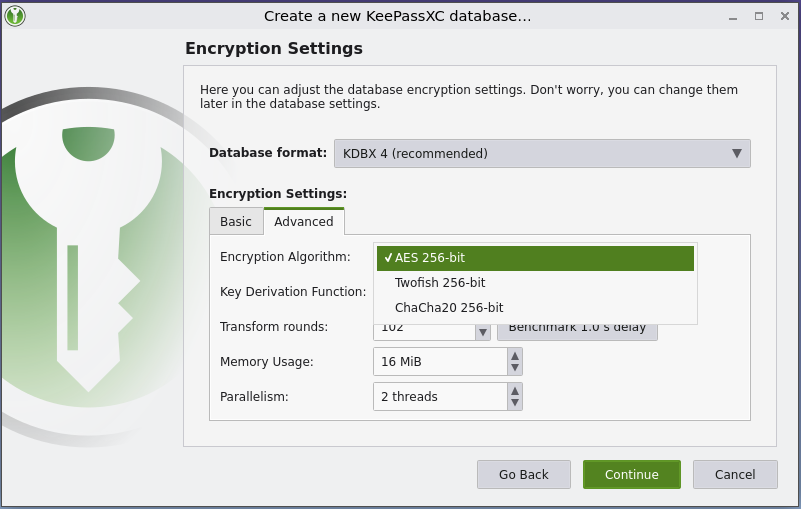
I thought there was more then 3 algo options available in Keepassxc? Maybe enabled by other plugins? Maybe a case of “Bernstein bears”, where I remembered it to be one way but actually it wasn’t ever that way.