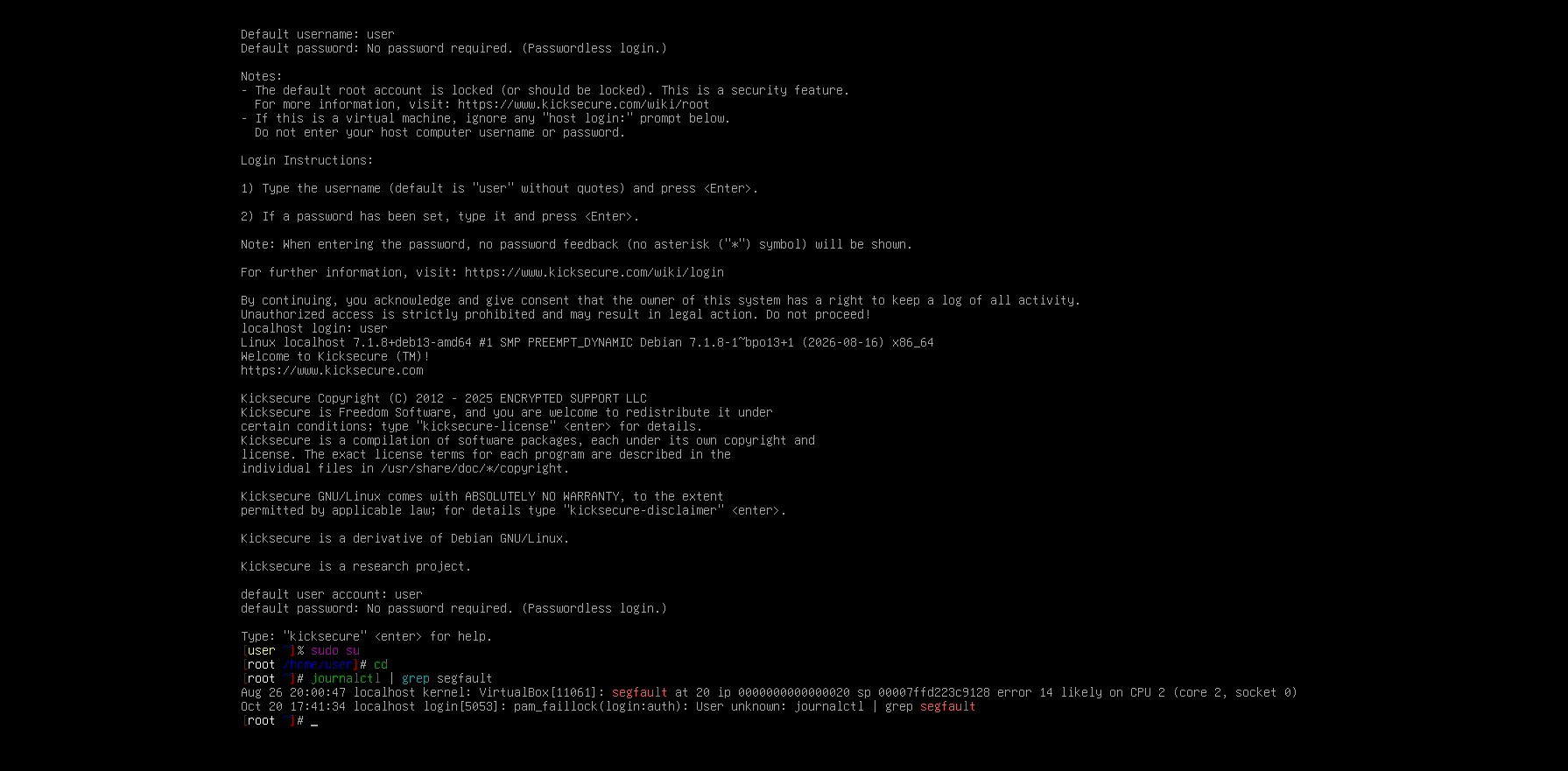
Hello, I have a Kicksecure VM that I’ve had for several months, then I don’t know what happened but suddenly I can’t open the terminal,open the sdwdate log, or keyboard layout, It’s just these specific ones that nothing happens when I try to open them, I have of course tried to create a new VM and it works without problems so something has happened in this particular VM
Is it possible to fix this in any way or should I just delete It and continue with the new one?
If you boot into sysmaint mode, switch to a TTY, and run journalctl | grep segfault, do you see qterminal crashing? If so, try running cd ~/.cache && rm -rf fontconfig and see if that fixes the issue. There was a bug in Chromium recently that caused it to corrupt the fontconfig cache and cause Qt applications to crash.
(Be careful when typing this, all the characters are important, including the quote marks left out around the $(cat desktop-env) part.)
This will extract the environment of your graphical session from the running sysmaint-panel process, verify that it can be safely injected into qterminal in a trivial way, then will launch qterminal with that same environment so that it shows up on your graphical session configured (mostly) the same way it would be if you had launched it normally. If qterminal is working normally, this should result in it launching in the graphical session. More likely though you’ll get an error message that hints at what’s wrong.
That didn’t quite work; there were intentionally two separate commands above, one of them with a newline in the middle, but you’ve typed them all as one line. When done right, the screen should look like: