Total Newby question

Hey everyone!

So I’m totally new to Kicksucure. I want to try it out and play around with it in a VM using Virt manager using Mint as the host OS. That way I can get a feel for it and download my apps.

I just can’t seem to figure out how to set a persistant VM though! Whenever I shutdown that VM then try to open it I get a black screen saying no bootable device found and have to delete and then spin up the VM again.

I have tried booting from a USB and still can’t figure out how to set a persistant mode. I would kinda like to use kicksecure as a daily driver.

Am I missing something?

Thanks for any and all help

Are you following the instructions from Kicksecure for KVM? I’ve used these multiple times and they work without issues on a Kubuntu 24.04 host.

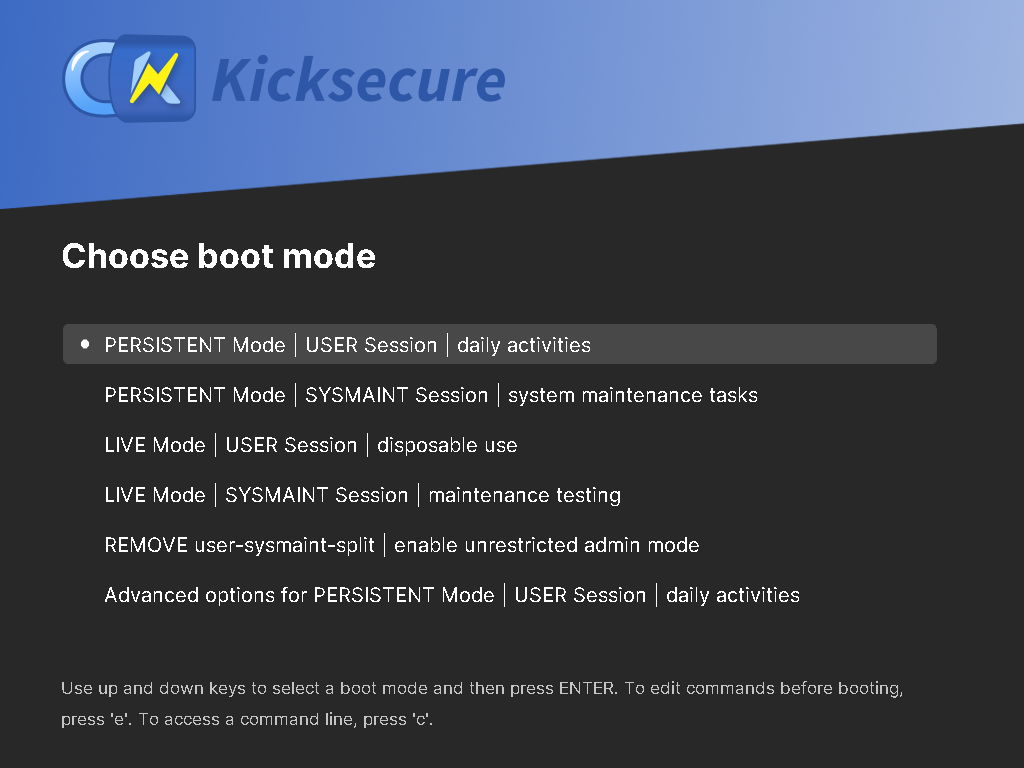
There’s no special user action required for persistent mode. It’s the default.

Do you see the grub boot menu and after that nothing?

And then after booting only a black screen? In that case enable verbose boot messages for debugging as per Temporary Kernel Boot Parameter Change.

Ohh I just downloaded the ISO file. I’ll try the KVM method.

The only options I see are for live mode. Gives me three options which are live mode and one for utilities.

I downloaded the KVM file and when I try decompress using

tar -xvf Kicksecure*.libvirt.xz

I get the following results in terminal

tar: Kicksecure*.libvirt.xz: Cannot open: No such file or directory
tar: Error is not recoverable: exiting now

???

Please post a screenshot.
(Uploading Images for Support)

Scratch that. No screenshot needed.

When you boot an ISO it is expected that there’s only live mode.

If you want persistent mode, you need to boot, install using Calamares to (virtual or real) hard drive, power off, remove ISO, reboot.

Full instructions here:

As the error is stating, the file isn’t there.

Quote KVM, Decompress

Note: Adjust the folder if you stored the archive elsewhere.

  • Black screen inside VM when using ISO: Try increase VM RAM.
  • VM images are pre-configured with sufficient RAM so there should be no black screen.

Also documented here:

Thanks for all the advice fellas.

I was able to get the persistent USB easy enough after following the directions.

One more question. Are there any resources of documentation that you can point me to for a beginner? Just some of the basics like updates, file management, basic terminal commands for downloading/updating the system & files.
Once again, thanks for the advice.

The wiki pages under the “First Kicksecure Steps” section of
Kicksecure Documentation might be what you’re looking
for.

2 Likes

Thank you

1 Like