KVM/virt-manager with no gpu passthrough and WLR_RENDERER already displaying pixman.
an excerpt from the sudo journalctl -u greet.dservice output below.
KVM/virt-manager with no gpu passthrough and WLR_RENDERER already displaying pixman.
an excerpt from the sudo journalctl -u greet.dservice output below.
Aug 30 21:33:22 localhost greetd\[4682\]: pam_unix(greetd-greeter:session): session opened for user \_greetd(uid=101) by \_greetd(uid=0)
Aug 30 21:33:22 localhost greetd\[4682\]: pam_succeed_if(greetd-greeter:session): requirement "uid eq 0" not met by user "\_greetd"
Aug 30 21:33:22 localhost greetd\[4682\]: pam_succeed_if(greetd-greeter:session): requirement "uid ne 0" was met by user "\_greetd"
Aug 30 21:33:22 localhost greetd\[4682\]: pam_systemd(greetd-greeter:session): Failed to create session: Resource deadlock avoided
Aug 30 21:33:22 localhost greetd\[4682\]: pam_unix(greetd-greeter:session): session closed for user \_greetd
Aug 30 21:33:22 localhost systemd\[1\]: Stopping greetd.service - Greeter daemon...
Aug 30 21:33:22 localhost systemd\[1\]: greetd.service: Deactivated successfully.
Aug 30 21:33:22 localhost systemd\[1\]: Stopped greetd.service - Greeter daemon.
What you’re describing sounds like the desktop is crashing. If you run sudo dmesg | grep segfault, do you see any output? If so, please share as much of the output of sudo dmesg here as you’re comfortable with sharing.
\[  759.390635\] labwc\[2569\]: segfault at 580000000000 ip 0000779773b2080c sp 00007ffed8ea9630 error 4 in libgallium-25.0.7-2+deb13u1.so\[b2080c,7797730e1000+173b000\] likely on CPU 14 (core 28, socket 0)
\[  844.386934\] labwc\[6474\]: segfault at 654800000000 ip 000071bf8052080c sp 00007ffeb61cb890 error 4 in libgallium-25.0.7-2+deb13u1.so\[b2080c,71bf7fae1000+173b000\] likely on CPU 10 (core 20, socket 0)
\[ 1078.382682\] labwc\[7214\]: segfault at 5d8800000000 ip 0000725e8e72080c sp 00007ffe0d999a40 error 4 in libgallium-25.0.7-2+deb13u1.so\[b2080c,725e8dce1000+173b000\] likely on CPU 14 (core 28, socket 0)
\[16857.514611\] labwc\[8046\]: segfault at 598000000000 ip 00007acf2b32080c sp 00007ffe92187d50 error 4 in libgallium-25.0.7-2+deb13u1.so\[b2080c,7acf2a8e1000+173b000\] likely on CPU 0 (core 0, socket 0)
\[17518.289612\] labwc\[12934\]: segfault at 64e800000000 ip 00007aa30632080c sp 00007ffc83840630 error 4 in libgallium-25.0.7-2+deb13u1.so\[b2080c,7aa3053e1000+173b000\] likely on CPU 14 (core 24, socket 0)
\[17542.675820\] labwc\[13667\]: segfault at 5fe000000000 ip 00007552ff52080c sp 00007ffc3f67a7a0 error 4 in libgallium-25.0.7-2+deb13u1.so\[b2080c,7552feae1000+173b000\] likely on CPU 14 (core 28, socket 0)
\[17571.167019\] labwc\[14656\]: segfault at 5a5800000000 ip 00007bb8f5b2080c sp
libgallium is part of the graphics stack, specifically part of Mesa3D. Some questions:
Did you set up the VM according to the instructions at:
If not, you may want to recreate the VM following those instructions.
Did you make any other customizations to the VM’s graphics configuration, like changing to an emulated graphics card other than “virtio”? If so, undo those changes and see if that makes things better.
It’s theoretically possible SimpleX could be the culprit. What you might try is: clone the VM, uninstall SimpleX from the clone, then use the clone for everything but SimpleX, and use the original only for SimpleX. if the VM with SimpleX running crashes, and the one without SimpleX doesn’t crash, then you know that SimpleX is almost certainly at fault.
I can confirm the official VM guide was used during the setup. Additionally, I can also confirm that apart from virtio, no other emulated graphics card settings were changed.
After cloning my VM and running it with simplex uninstalled the same login error still appears.
Hmm. You’re seeing a segfault, not an illegal instruction error, so this is kind of a long shot, but can you try removing gather_data_sampling=force from the kernel command line and see if that solves the issue? That particular kernel parameter causes random crashes on some hardware but not on other hardware. See:
And disabled nouvaeu acceleration as mentioned here:
Hi just confirming I’ve done the two above suggestions but I am still facing the same error. I gave more thought about the apps with widgets; would it be possible running Mullvad vpn on the main host could cause these login screen errors as the same error is present across all VMs? (both kicksecure and whonix operating systems). I’ve tried to replicate the error before launching Mullvad VPN on main host but cannot.
I mean, very very technically it could be possible, and I’ve seen weird things like this before (KVM virtual machines dying and all Chromium-based applications suddenly misbehaving very badly at the same time, multiple times), but Mullvad VPN on the host shouldn’t have any effect on how graphics libraries work inside VMs. Are you using a Chromium-based browser on the host, and just happen to not use it when Mullvad VPN is off? Maybe that’s somehow having an effect.
Mullvad VPN and Virt manager are the only 3rd party apps I have on my host, everything else is done through VMs. Do you recommend doing a fresh install of Mullvad and seeing if that helps?
It might be worth a try. If you can run without Mullvad running for an extended period of time though, that might be more useful.
I was able to use my VMs for a solid 2hrs before experiencing the login error yesterday and more of the same today (Without launching Mullvad VPN). This is the longest crash-free period of time since setting up the VMs over a month ago, as it normally crashes every 2-3 minutes. Not sure what’s causing the full issue and how interacting with Mullvad VPN exacerbates the issue as the Mullvad daemon should still be active from boot.
Mullvad VPN’s desktop app appears to be an Electron app, i.e. it is Chromium-based. So that might explain the issue, and would point to a bug in either KVM or Chromium or both.
Can you switch to using Mullvad’s CLI on the host, and uninstall the GUI?
I’ve tried this but it does not seem to affect crash frequency.
That’s bizarre. The host’s network setup should not be affecting the VM’s graphics stack.
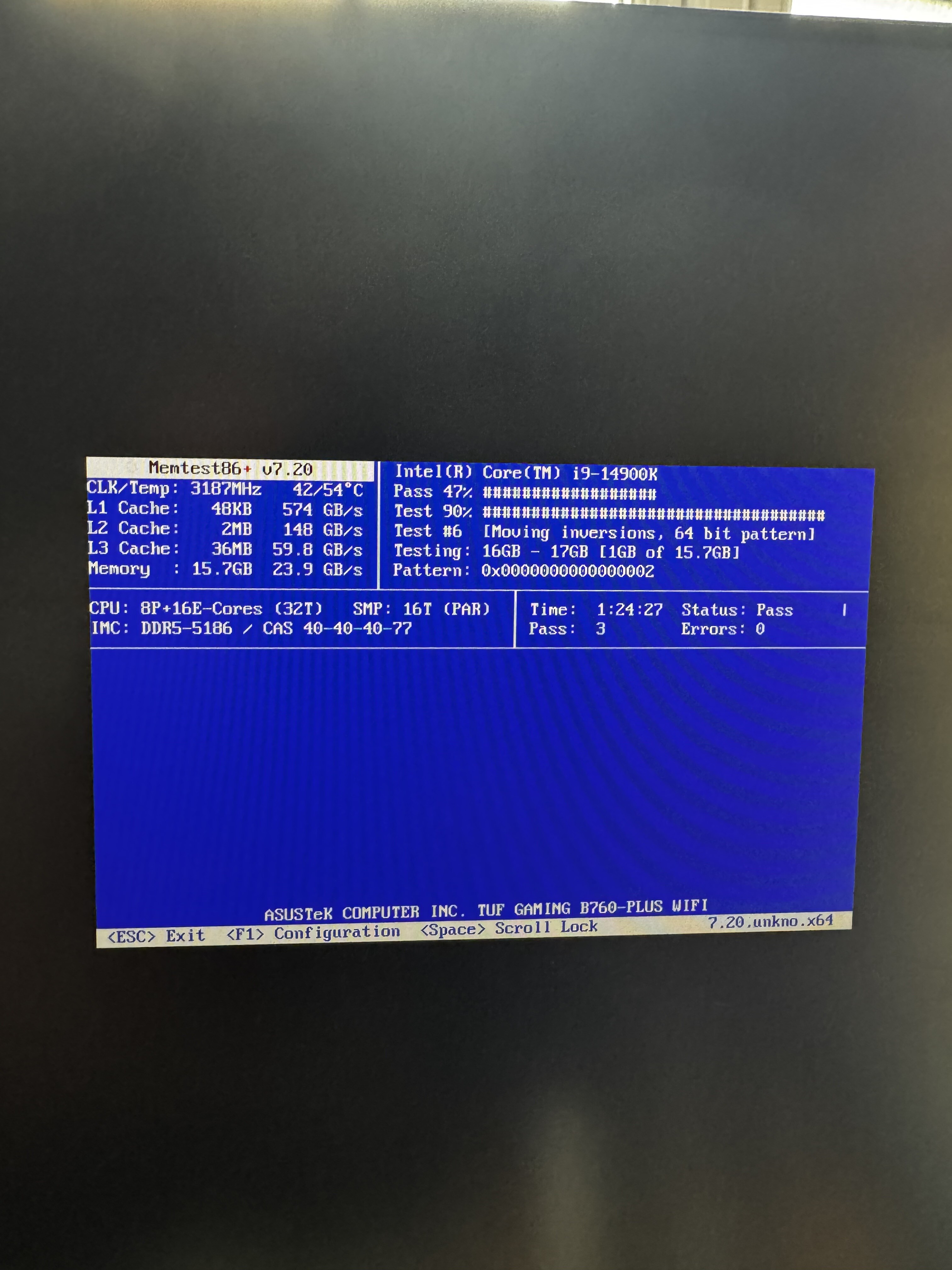
Can you run memtest86+ on the host and make sure your RAM is functioning properly?
If you run sudo journalctl | grep 'I/O error' on the host, do you see any errors displayed?